
Grok Bot vs. Claude Duet: Which AI Agent Should You Hand Your Work To?
Disclosure: MakeBlogAI isn’t affiliated with, sponsored by or endorsed by Anthropic, SpaceXSI/xAI (Grok) or Cursor. The site owner uses Grok Bot in his own workflow, and AI tools, including Grok Bot, helped research and draft this article, which was checked against the primary sources linked below. This post contains no affiliate links. We haven’t tested Claude Duet hands-on because it’s waitlist-only. Prices and features are accurate as of October 23, 2026 and change often. See our AI disclosure guide for why we spell this out.
Two “always-on” AI agents now want to take work off your plate. Anthropic announced Claude Duet on October 21, 2026 as a waitlist research preview (Anthropic, CNBC). Grok Bot, from SpaceXSI (formerly xAI) and built with Cursor, has been in beta since August, according to press reports (launch post). One quick note on names: Grok Bot is the agent app, not the @grok reply account on X.
If you run a blog, a KDP catalog or an Etsy shop, the grok bot vs claude duet question comes down to a few things: what each one costs, how it handles your accounts, and whether you want one careful assistant or a small team of them. Here’s what the official docs say.
The short answer:
• Pick Claude Duet if you already pay for Claude Pro or Max in the US, mostly need help with email, calendar and follow-ups, and want one assistant that checks with you before it acts. You’ll have to get through the waitlist first.
• Pick Grok Bot if you want several named Bots working in parallel on separate projects, want to watch or take over their computer, or need it on desktop as well as your phone.
• Cheapest way in: $20 a month (Claude Pro) vs. $30 a month (X Subscription Premium). Neither product publishes hard usage caps.
What is Claude Duet?
Claude Duet is a proactive agent app from Anthropic aimed at professionals and small-business owners. It works on its own computer in the cloud, with its own browser, and keeps going after you close the app (Anthropic help article). For more on Anthropic, see our Claude Mythos explainer for background.
How it works
- It sends a morning brief across your email and calendar, drafts replies for you to review and follows up on threads that have gone quiet.
- You talk to it in one main thread, plus optional channels that share memory, by text or voice message.
- It carries over your Claude memory, skills and connectors. Anthropic’s product page says it supports “more than 6,000 connectors and plugins,” including a small business plugin.
- Finished work, such as a brief, financial model, deck or dashboard, shows up in a Make tab.
- It runs on Claude Opus 5.5, and you can’t choose a different model.
Who can get it right now
It’s a research preview with a waitlist, open only to US subscribers on Claude Pro and Max. It isn’t on Team or Enterprise plans yet. It’s available as an iOS and Android app and on claude.ai on the web (product page).
What is Grok Bot?
Grok Bot is a desktop and mobile app for “AI teammates.” Each Bot has a name, a job and its own memory and context (Grok Bot docs). You sign in with a Cursor account.
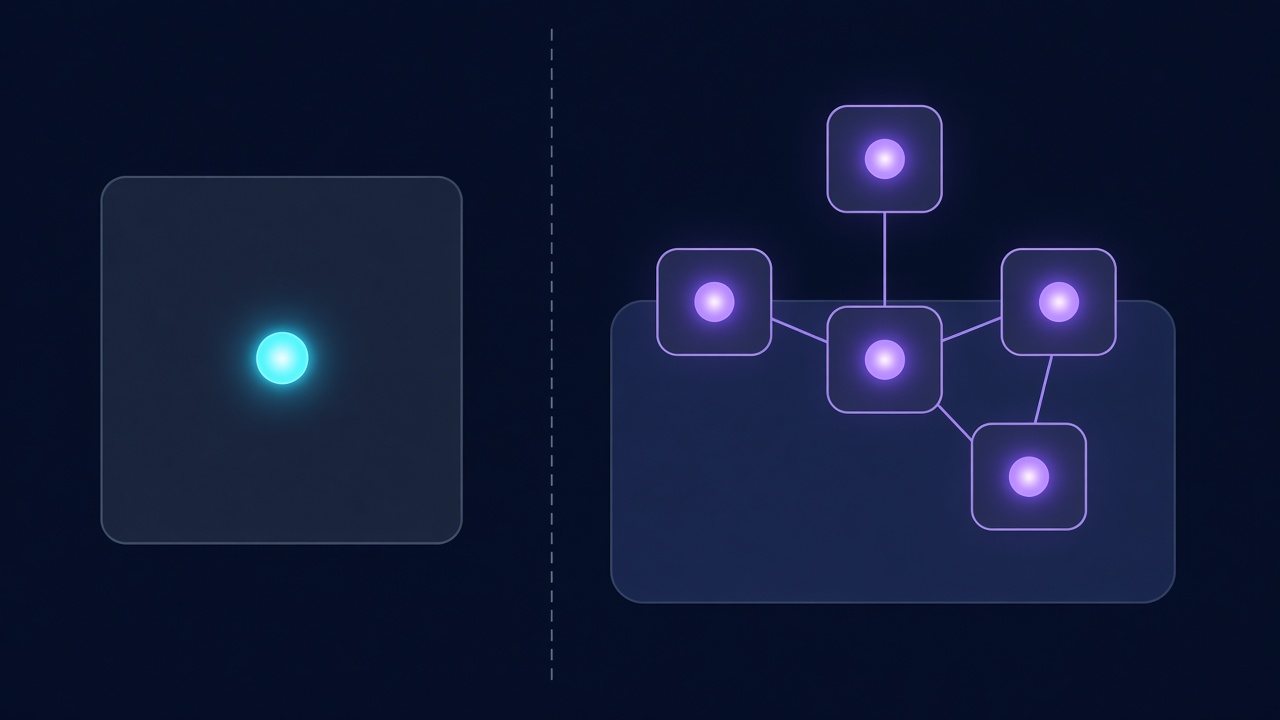
A team of named Bots on one shared computer
- You can run several Bots in parallel. They can message each other, join group chats and hand tasks off to one another.
- All of your Bots share one persistent cloud computer with files, a browser and saved logins. Each Bot gets its own screen, and the work keeps going when your laptop is closed (FAQ).
- Bots can learn a workflow from a demonstration and save it as a skill or a routine that runs on a schedule (x.ai/bot).
- Voice works through dictation and live voice chat, and Bots can send voice memos.
Who can get it right now
Grok Bot is in beta. It’s included on eligible paid plans, with no waitlist. The docs list macOS, Windows, Linux, iOS and Android, although one Cursor docs page still lists only macOS, Windows, Linux and iOS (get-started guide). xAI hasn’t named the model Grok Bot runs on in the sources we checked, so we don’t list one.
Grok Bot vs. Claude Duet: side-by-side comparison
| Claude Duet | Grok Bot | |
|---|---|---|
| Maker | Anthropic | SpaceXSI (with Cursor) |
| Status | Research preview (announced Oct 21, 2026) | Beta (launched Aug 2026, as reported) |
| Access | Waitlist; US only; Pro and Max | Eligible paid plans |
| Cheapest entry | $20/mo (Claude Pro) | $30/mo (X Subscription Premium) |
| Higher tiers | $100 / $200 (Max 5x / 20x) | $100 / $200 (Super / Ultra) |
| Shape | One agent; one thread plus channels | Many named Bots in parallel |
| Computer | Its own cloud computer and browser; you can’t watch or take over | Shared persistent cloud computer; you can open it and take over |
| Model | Claude Opus 5.5 (fixed) | Not disclosed |
| Apps | iOS, Android, claude.ai web | macOS, Windows, Linux, iOS, Android |
| Proactive | Morning brief; checks accounts at intervals | Routines and schedules; follow-ups |
| Learns by demonstration | Not stated | Yes (skills and routines) |
| Approvals | Asks before it sends, pays, signs or deletes; some actions blocked | Allow, always allow or deny, plus Auto Review |
| Usage | Shares your Claude plan limits | Weekly pool shared with Grok and Cursor; top-ups |
| Teams/Enterprise | Not yet | Enterprise available; legacy Cursor Teams plans included |
| Known gaps | No local files, no Microsoft 365, limited Slack, no calls or texts | Shared computer isn’t a security boundary |
Pricing: what you actually pay
Claude Pro and Max vs. X Subscription Premium, Super and Ultra
Claude Duet costs nothing extra on top of your Claude plan. Claude Pro is $20 a month, or $17 a month billed annually ($200 up front). Max 5x is $100 a month and Max 20x is $200 a month, billed monthly only (Claude pricing, Max plan help). Anthropic notes that prices in the mobile apps may differ.
Grok Bot comes with X Subscription Premium ($30 a month), Super ($100) and Ultra ($200). Annual billing is $300, $1,000 and $2,000 a year, and prices don’t include tax. The $8 Plus tier and the free tier don’t include Grok Bot (X pricing, Grok Bot plans). Legacy Cursor Pro, Pro+, Ultra and Teams plans include it, and SuperGrok and X Premium+ subscriptions can be linked. Plans don’t stack.
Usage limits: shared pools, no hard caps published
Neither company publishes a hard cap. Duet draws from your normal Claude limits, and its background checks count toward them (help article). Grok Bot draws from a weekly pool it shares with Grok and Cursor. When the pool runs out, you can buy prepaid top-ups, and legacy plans can switch to on-demand billing (models and pricing). Grok Bot’s original launch post described usage as separate, so go by the current plans page. For ways to make a plan last longer, see how to stretch your AI token budget and our token limits comparison.
Safety and approvals
Duet’s approval rules and actions that are off-limits
Duet asks before it sends a message, makes a payment, signs a document or deletes anything. Some actions are blocked even if you approve them: trading securities, moving money between accounts and accessing someone else’s account (help article). The Verge also reports a new classifier designed to refuse to share the most sensitive data, such as card numbers.
Grok Bot’s Auto Review and the shared-computer caveat
Grok Bot asks for approval on sensitive actions. You can allow once, always allow or deny, and an “Auto Review” check screens risky steps (x.ai/bot). When a site asks for a password or a 2FA code, you take over the computer and type it yourself, so the Bot never sees the password (get-started guide).
⚠️ Shared-computer tip: Grok Bot’s FAQ says Bots are “not a security boundary.” Every Bot shares the same files and logged-in browser sessions. Don’t sign into an account on that computer unless you’re comfortable with all of your Bots using it. The same idea applies to WordPress plugins; see how to audit AI plugins for security.
Which is better for creators and side hustles?
Solo blogger, KDP author or Etsy seller
If most of your week goes to your inbox, customer emails and keeping deadlines straight, Duet’s morning brief and follow-ups fit well, and it’s the cheaper way in if you already pay for Claude Pro. Keep its limits in mind: it can’t see files on your own computer, and Anthropic told The Verge that it’s weaker at personal errands like booking tickets.
If you want an agent to work in a browser for you, for example drafting posts in WordPress or gathering listing research, Grok Bot’s shared computer lets you watch what it’s doing and step in when needed. Whichever you choose, a clear process matters more than the tool. Start with our AI blog writing workflow, our KDP publishing guide or our guide to selling AI-assisted downloads on Etsy.
Small team or multi-project operator
Grok Bot is built around parallel work. You could give one Bot your blog, another your shop and a third your research, and they can hand tasks to each other. Duet is one assistant with one main thread, and it isn’t on Team plans yet.

Limitations to know before you sign up
- ⏳ Duet: waitlist only, US only and Pro or Max only. You can’t watch or take over its browser. It checks accounts at intervals, so it can miss urgent items. It has no Microsoft 365 support yet, limited Slack support and no phone calls or texts.
- Grok Bot: still in beta. The shared computer isn’t a security boundary and its usage pool is shared with Grok and Cursor, so heavy Bot work can leave less for chat and coding.
- 💲 Both: no published hard usage limits, and prices change. Check the official pricing pages before you subscribe.
FAQ
What is Claude Duet?
Claude Duet is Anthropic’s proactive agent app, announced October 21, 2026. It works on its own cloud computer, sends a morning brief, handles tasks you send by text or voice and asks before taking consequential actions.
How much does Claude Duet cost?
There’s no separate fee. It’s included with Claude Pro ($20 a month, or $17 a month billed annually) and Max ($100 or $200 a month), and it uses those plans’ limits.
Is Grok Bot free?
No. It’s included with X Subscription Premium ($30 a month), Super ($100) and Ultra ($200), plus some legacy Cursor plans. The free tier and the $8 Plus tier don’t include it.
Can Claude Duet or Grok Bot work while my computer is off?
Yes. Both run on cloud computers, so they keep working after you close the app or your laptop.
Which is safer for business accounts?
They handle it differently. Duet blocks some financial actions outright and asks before it sends, pays, signs or deletes. Grok Bot uses approvals plus Auto Review and lets you enter passwords yourself, but every Bot shares one computer and its logins.
Can I use Claude Duet outside the US?
Not yet. The research preview is limited to US Pro and Max subscribers on the waitlist.
The bottom line
For a solo creator who already pays for Claude, Duet is the lower-cost, more tightly controlled choice once you get off the waitlist. Grok Bot suits people who want several agents working on separate projects and who want to see the computer those agents are using. Try one on a small, low-risk task before you trust it with your accounts. For more AI tool changes each week, read the latest Trending Tech Brief.