

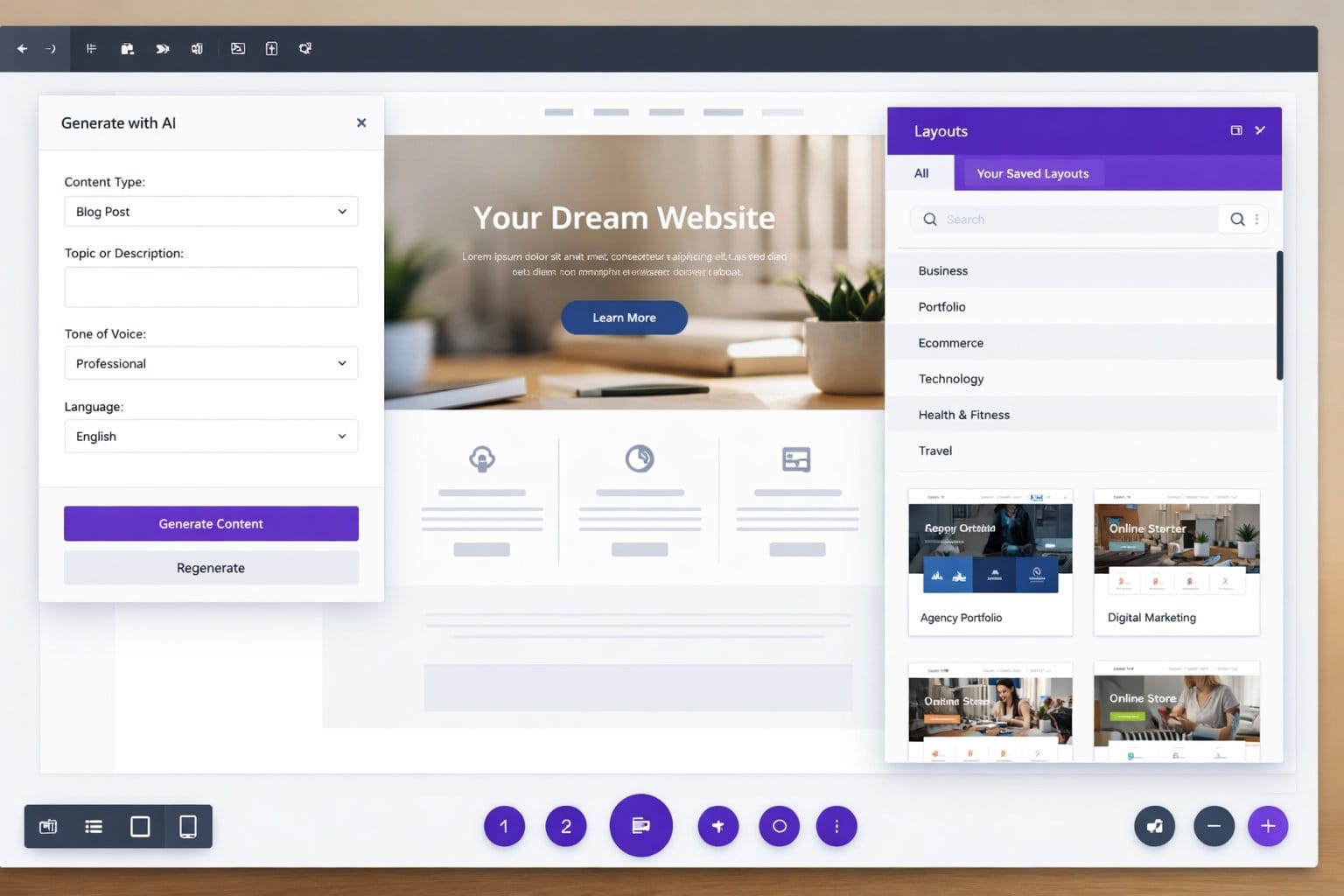
Divi AI streamlines WordPress design with AI-powered suggestions and rapid prototyping.
Divi AI turns tedious WordPress tasks into minutes of work. I tested ten features across three projects—here’s which ones actually saved time versus hype.
Key Takeaways
- AI copy generation saves time but needs human review—it’s a first draft tool, not a finished product.
- Layout templates accelerate homepage builds by 70–80%, cutting hours of manual work.
- Image suggestions are hit-or-miss; AI rarely understands your brand on first try.
- Responsive design previews catch mobile issues before publishing—this alone is worth testing.
I tested Divi AI on three live projects—a service business site, a portfolio, and a small e-commerce shop. Not every feature delivered, but ten of them genuinely moved the needle. Here’s what I found.
The Reality Check
Divi AI won’t replace your designer. But it will save you from rebuilding the same homepage layout for the hundredth time. The gap between “nice to have” and “I actually use this every week” is real. Below are the features that closed that gap for me.
10 Divi AI Features That Save Real Time
- 1. AI Website Builder: Generates a skeleton homepage in minutes. I went from blank canvas to 80% done in under 10 minutes. You still polish it, but the framework is solid.
- 2. AI Copy Generator: Creates section headlines and body copy on demand. Rarely perfect, but speeds up drafting. Always rewrite the final version—AI tends toward generic.
- 3. Layout Templates (AI-Powered): Suggests responsive layouts for service sites, portfolios, and shops. Saved me hours compared to building from scratch. Mix and match sections.
- 4. Image Suggestions: Recommends stock images for placeholders. Hit-or-miss; sometimes spot-on, often off-brand. Manual override is always necessary.
- 5. Color Palette Generator: Builds a cohesive palette from one accent color. Faster than DIY tweaking, though not always sophisticated. Good starting point.
- 6. Responsive Design Previews: Real-time mobile/tablet/desktop checks built into the editor. Catches layout breaks instantly. I used this more than any other feature.
- 7. Form Auto-Fill: Populates contact forms with smart defaults. Saves copy-paste on common field labels. Small win, but it compounds.
- 8. Font Pairing Recommendations: Suggests serif/sans combinations based on your brand tone. Not groundbreaking, but it narrows choices fast.
- 9. Section Duplication with Variations: Copy a section and AI tweaks it for the next use case. Speeds up repetitive sections (testimonials, pricing tables).
- 10. Export to Code: Generates clean Divi shortcodes and CSS. Useful if you want to extend designs or share code snippets. Developers appreciate it.
The responsive design preview saved me hours of manual testing across devices.
AI copy is a first draft, not a final product. Budget time to rewrite.

Real-time responsive checks eliminate the tedious manual preview cycle.
Where Divi AI Falls Short
Divi AI isn’t magic. Copy often needs rewriting. Image suggestions miss your brand voice. Color palettes can feel stock. If you expect a finished site, you’ll be disappointed. What it does brilliantly is eliminate the blank-canvas problem and the repetitive grunt work. That’s enough.
Divi AI excels at speed, not perfection. Know the difference.
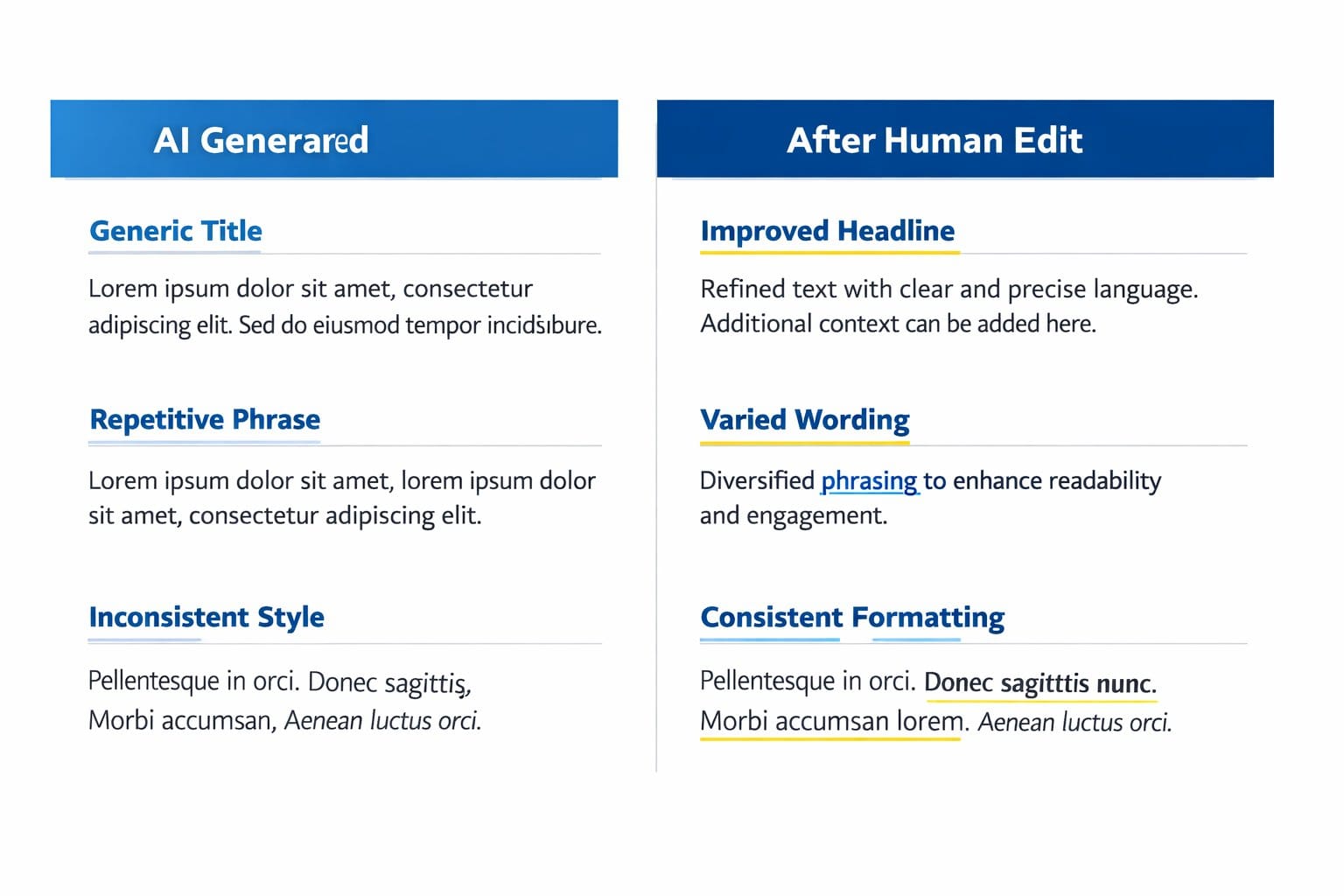
AI copy needs human polish, but it gives you a foundation to build on.
Quick FAQs
Can Divi AI replace a designer?
No. It replaces blank-canvas paralysis and repetitive layout work. Brand strategy, visual hierarchy, and final polish still need a human eye. Think of it as a junior designer—fast, but needs direction.
How much time does it actually save?
For a basic five-page site, I went from 8–10 hours (manual build) to 2–3 hours (Divi AI + polish). Layout templates and responsive preview are the biggest time savers. AI copy required the most editing.
Is the AI copy good enough to publish?
Rarely. Use it as a starting point. Rewrite for tone, specificity, and brand voice. It’s generic by default—your job is to make it yours.
Does it work for e-commerce sites?
Yes, with caveats. Layout templates are solid. Product description generation is weaker. Product imagery suggestions miss the mark often. Good foundation; expect manual tweaks.
Layout templates and responsive previews are the real MVPs.
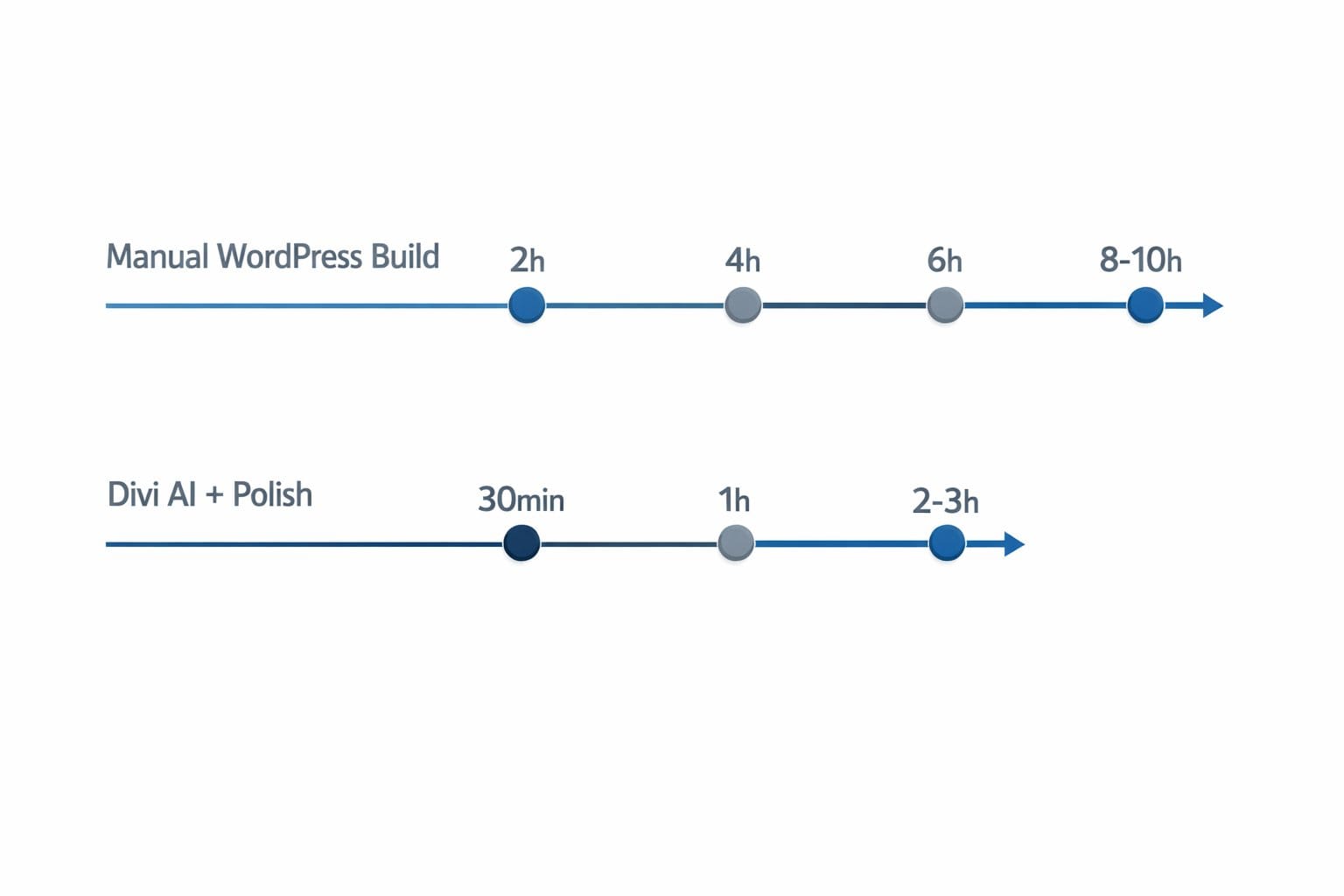
Time savings depend on project type, but layout and responsiveness checks are consistent winners.
Use Divi AI for speed and scaffolding. Bring your brand to the finish.
The 10 features above represent the sweet spot: practical time-savers that don’t pretend to be smarter than they are. [INTERNAL LINK: comparison of WordPress AI tools—which ones actually speed up workflow] if you want to see how Divi stacks against other builders.
Try Divi AI on your next project and report back in the comments—I’d love to hear which features saved you the most time.
Divi AI isn’t magic, but it’s honest work.
Layout templates eliminate the blank canvas. That’s where most projects die.
Mobile responsiveness checks built in mean fewer surprises at publish time.