How to Publish an AI-Assisted Ebook on Amazon KDP in 2026 (Rules, Limits & Royalty Math)
Disclosure: MakeBlogAI may earn a commission if you buy through some links on this site. None are used in this article.
We drafted it with help from AI tools, and a person reviewed it against the primary sources linked below. This is general information, not legal, tax or financial advice, and nothing here promises any level of sales or income.
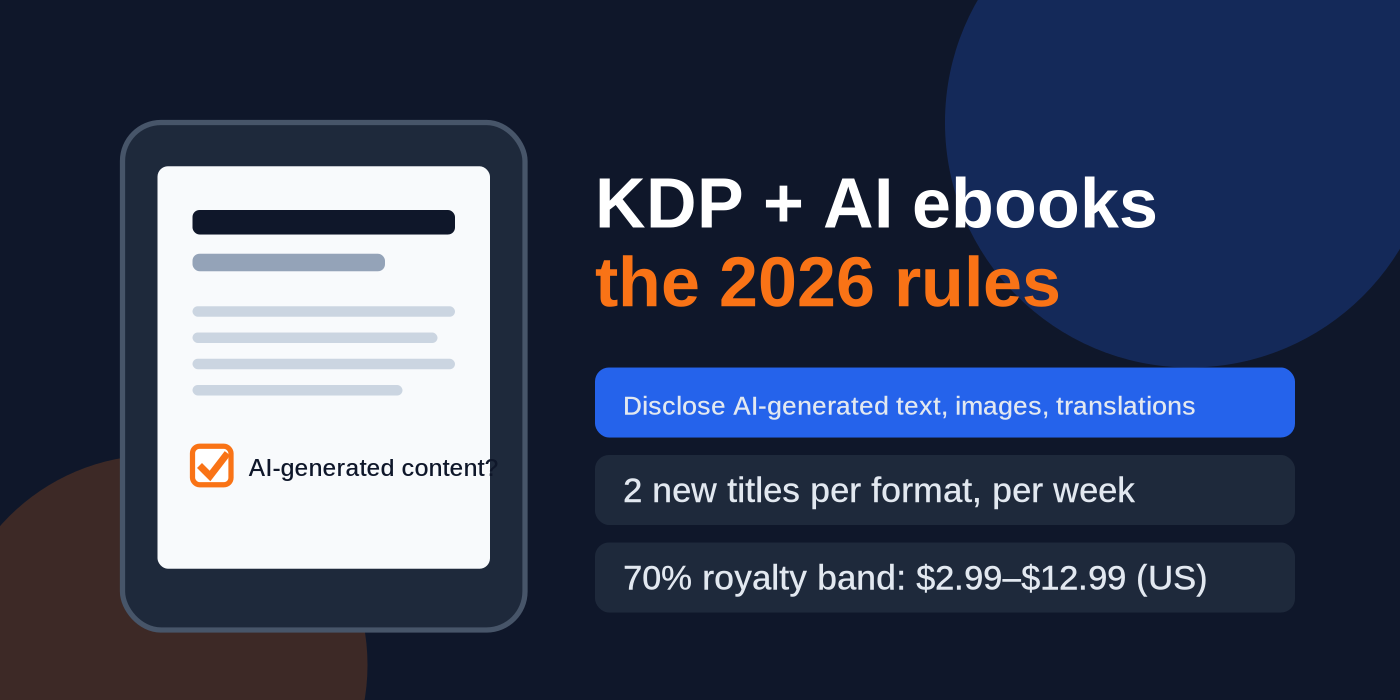
The short answer: Yes, you can publish an ebook you made with AI help on Amazon KDP. If an AI tool created any of the text, images (the cover counts) or translations, you have to say so when you publish. If AI only helped you brainstorm or polish work you wrote yourself, you don’t.
Plan for no more than two new titles per format each week. On Amazon.com, price between $2.99 and $12.99 if you want the 70% royalty, and remember that rate is calculated after a small delivery fee comes out.
What changed in 2026
- July 7: the US price range for the 70% royalty went up from $9.99 to $12.99 (KDP).
- Late September: the cap on creating new titles dropped to two per format per week. Industry reports say it was ten before (eBook pBook).
- Early October: KDP added a second weekly cap, on first-time submissions (KDP).
AI-generated vs. AI-assisted: what KDP actually requires
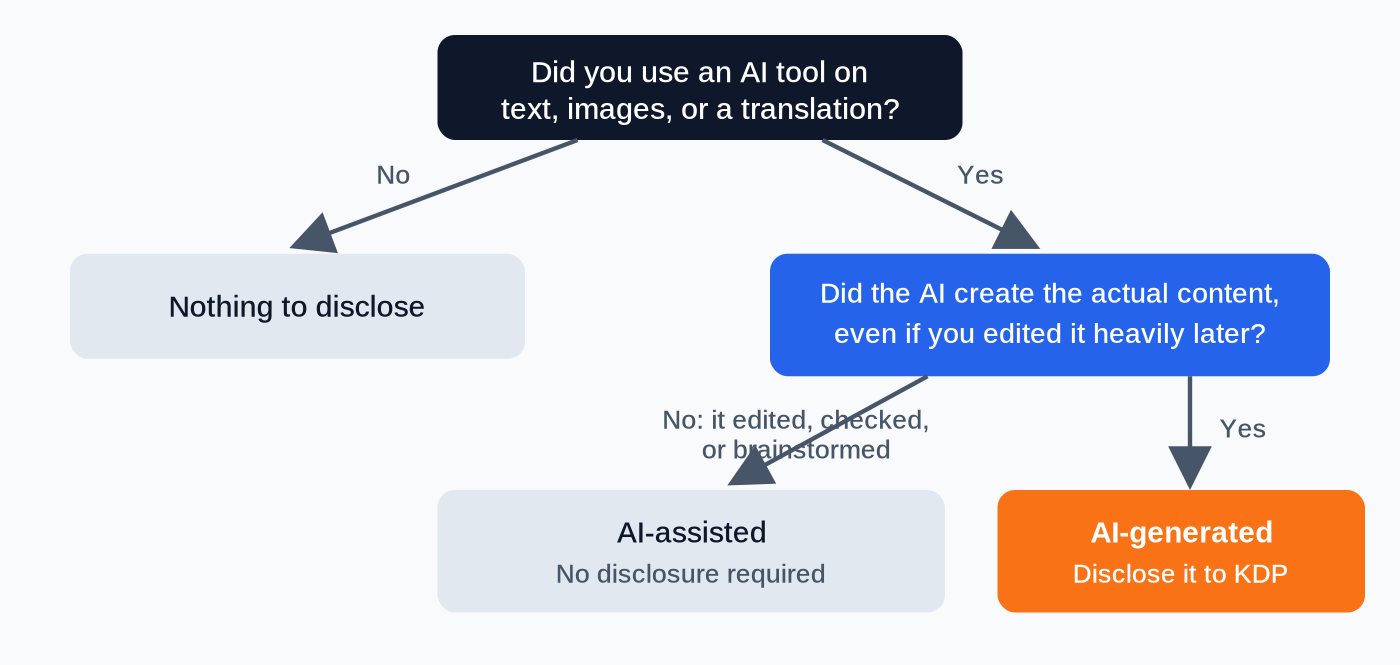
Everything hangs on one distinction. According to Amazon’s KDP Content Guidelines, you must tell KDP about AI-generated content “when you publish a new book or make edits to and republish an existing book.”
The definitions, in Amazon’s words
AI-generated: “If you used an AI-based tool to create the actual content (whether text, images, or translations), it is considered ‘AI-generated,’ even if you applied substantial edits afterwards.”
AI-assisted: “If you created the content yourself, and used AI-based tools to edit, refine, error-check, or otherwise improve that content… it is considered ‘AI-assisted’.” Using AI “to brainstorm and generate ideas” also counts as assisted, as long as you create the final text or images yourself. Assisted work doesn’t need to be disclosed.
The phrase people miss is “even if you applied substantial edits afterwards.” If you heavily rewrite a chapter that AI drafted, KDP still counts that chapter as AI-generated. Whichever way you answer, KDP says you’re responsible for making sure everything follows its guidelines, including intellectual-property rules.
Quick decision table
| What you used AI for | KDP category | Disclose? |
|---|---|---|
| Brainstorming topics or titles, then writing it yourself | AI-assisted | No |
| Grammar, spelling or style checks on your own draft | AI-assisted | No |
| Drafting chapters, even ones you later rewrote | AI-generated | Yes |
| Generating the cover or interior illustrations | AI-generated | Yes |
| Translating your book with an AI tool | AI-generated | Yes |
Can you copyright an AI-assisted ebook?
Disclosing to KDP and owning a copyright are two separate questions. The U.S. Copyright Office covered the second one in Part 2 of its report on copyright and AI (January 2025). Its conclusions: copyright “does not extend to purely AI-generated material,” and with today’s tools, “prompts do not alone provide sufficient control.”
On the other hand, using AI “to assist rather than stand in for human creativity” doesn’t take away copyright protection. Your own writing, your creative choices about how material is selected and arranged, and your meaningful changes to AI output can all still be protected.
The practical lesson: the more of the book is genuinely yours, the stronger your position, both with KDP and under copyright law. Keep simple notes on what you wrote and what a tool produced. For anything high-stakes, ask a qualified attorney.
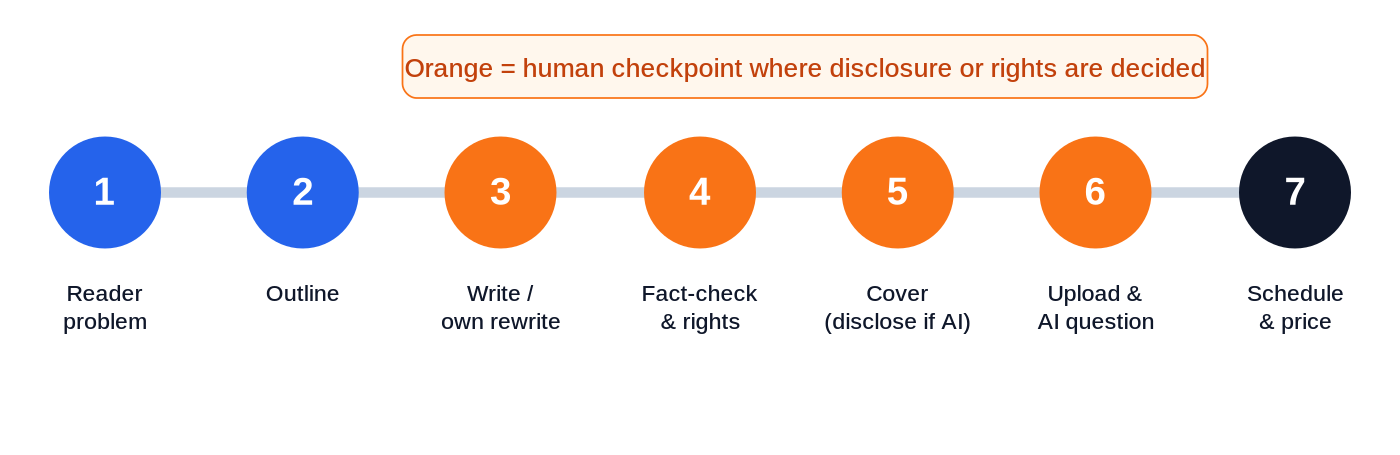
Step by step: from idea to KDP submission
- Pick a narrow reader problem. “Meal prep for night-shift nurses” gives a reader more to act on than “healthy eating.” Use AI to brainstorm angles if you like. That counts as assisted.
- Build the outline. An AI-suggested chapter list is fine, but decide the structure yourself.
- Write, or own the rewrite. If AI drafts a chapter, that chapter counts as AI-generated no matter how much you edit it. Decide up front which way you’re going and keep notes.
- Fact-check and clear rights. Check every claim, quote and image source. Under the guidelines, intellectual-property compliance is your job.
- Handle the cover honestly. An AI-generated cover counts as an AI-generated image, so it has to be disclosed.
- Format, upload and answer the AI question accurately. Do this for each book, and again any time you edit and republish.
- Schedule releases around the weekly limits (see the next section) and choose your royalty option.
The 2026 title limits and how to plan releases
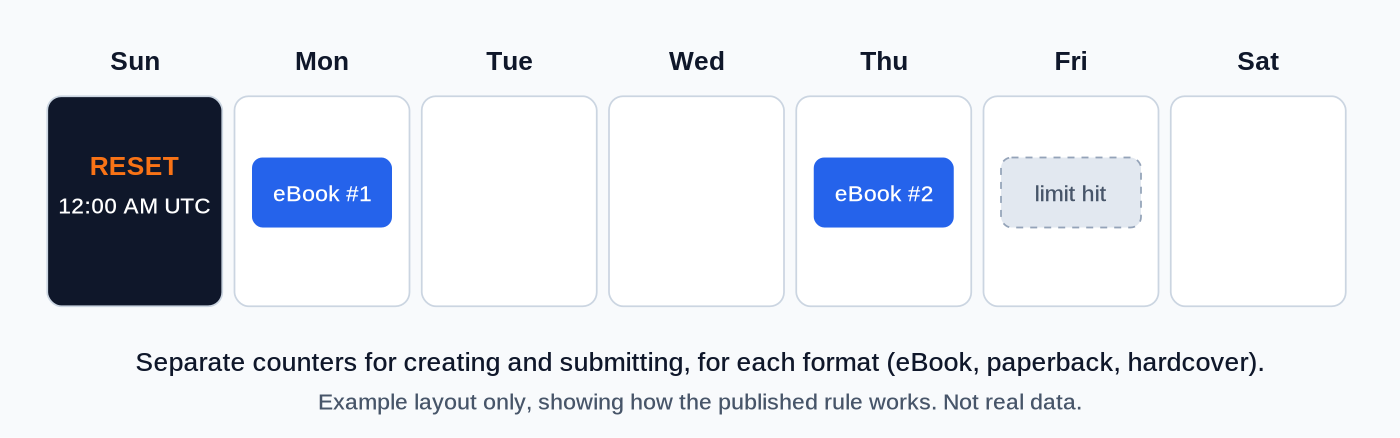
KDP’s Create a Book page lists two weekly limits that work independently of each other:
- Creation limit: “Up to 2 titles per book format each week.”
- Submission limit: “Up to 2 new titles per book format each week, counted the first time you submit a title for publication.” Drafts you saved earlier count once you submit them. Updates to titles you’ve already submitted don’t count.
The limits apply to each format separately (eBook, paperback, hardcover) and “reset every Sunday at 12:00 AM Coordinated Universal Time (UTC).” In US Central time that’s 7:00 PM Saturday while daylight saving time is in effect. Amazon hasn’t said publicly whether AI-generated books were behind the cut, according to trade coverage, so treat any claims about the reason as speculation.
Royalty math: 35% vs. 70% after the July 2026 change
Since July 7, 2026, the 70% option on Amazon.com covers list prices from $2.99 to $12.99 (eBook List Price Requirements). Under the 70% option, KDP subtracts a delivery cost before applying the rate. The Digital Book Pricing Page sets that cost at US $0.15 per MB on Amazon.com, rounds file size up to the nearest kilobyte, and charges at least $0.01.
The 35% option has no delivery cost. The formulas:
- 35%: 0.35 × (list price − VAT)
- 70%: 0.70 × (list price − VAT − delivery cost)
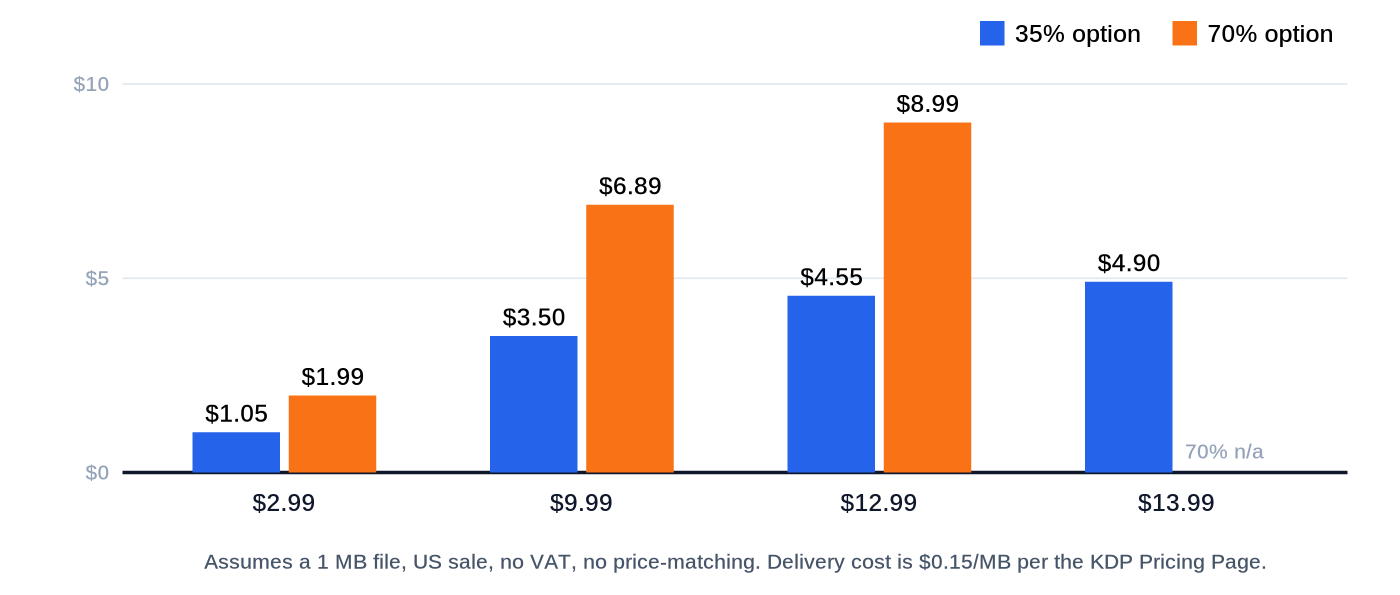
Here’s what one sale works out to, assuming a 1 MB file, a US buyer, no VAT and no price-matching:
| List price | 35% option | 70% option (after $0.15 delivery) |
|---|---|---|
| $2.99 | $1.05 | $1.99 |
| $9.99 | $3.50 | $6.89 |
| $12.99 | $4.55 | $8.99 |
| $13.99 | $4.90 | Not eligible (above the band) |
These are per-sale figures from KDP’s published formulas, not sales results or a forecast. Image-heavy books have bigger files and pay more in delivery.
A few other rules apply too: the ebook has to be priced at least 20% below any print edition, and in Brazil, Japan, Mexico and India the 70% rate requires KDP Select. See the Pricing Page for the details.
KDP Select or sell direct?
KDP Select is a free 90-day program for Kindle ebooks. Enrolled books are automatically added to Kindle Unlimited and become eligible for promotions.
In return, during the term the digital edition has to be exclusive to Amazon, which means you can’t sell it digitally “on your website, blogs, etc.” If you’d rather sell a PDF yourself, a platform such as Gumroad charges 10% + $0.50 per direct sale, plus card processing (2.9% + $0.30). Sales through its Discover marketplace cost a flat 30%.
| KDP Select | Selling direct (e.g., Gumroad) | |
|---|---|---|
| Exclusivity | Ebook must be exclusive to Amazon for 90 days | None |
| Reach | Kindle Unlimited and Amazon promotions | Only the audience you bring |
| Cost per sale | Standard KDP royalty terms | 10% + $0.50, plus card processing |
You can’t do both with the same ebook while it’s enrolled. A common approach is to choose one for each title.
Common mistakes that get AI books in trouble
- Treating heavily edited AI drafts as “assisted.” KDP’s definition says otherwise.
- Forgetting that an AI cover needs to be disclosed.
- Republishing an edited book without answering the AI question again.
- Book descriptions that oversell. KDP doesn’t allow content “meant to mislead customers” (Content Guidelines).
- Planning a series launch that goes over two new titles per format in one week.
The bottom line
KDP doesn’t ban AI. It asks for honesty and limits volume. Disclose what AI created, put your own judgment into the book, price with the delivery fee in mind, and pace your releases.
These rules have changed three times in 2026, so check the linked KDP pages before you hit publish. Coming next in our AI Ebooks collection: a printable pre-upload checklist.