


A token is how AI systems measure text in small chunks — roughly three-quarters of a word per token. Every message you send and every reply you receive costs tokens from your monthly limit. Most beginners hit the wall not because they’ve maxed out their context window, but because they’re burning tokens faster than they realize on bloated prompts and unnecessary context.
Key Takeaways
- Tokens are the unit AI uses to process text — roughly 3⁄4 of a word per token on average.
- Your usage limit is not the same as your context window — most platforms reset on a rolling time window, often 5 hours.
- The context window arms race is marketing. Your real constraint is the hourly message cap, not how many tokens fit in one conversation.
- Understanding where your tokens go is the first step to making your AI subscription last longer.
By the end of this post, you’ll understand exactly what tokens are, why you keep hitting that limit, and what separates your real constraint from the marketing noise. This is the foundation you need before optimizing anything.
Halfway through a project, everything stops. One moment the responses are flowing; the next, a message says your limit has been reached. No countdown. No warning. Just a wall. If you’ve been there, you know the specific frustration of it — mid-thought, mid-task, completely locked out. But here’s what most tutorials won’t tell you: it’s not the AI’s fault. It’s almost always how you’re using it.
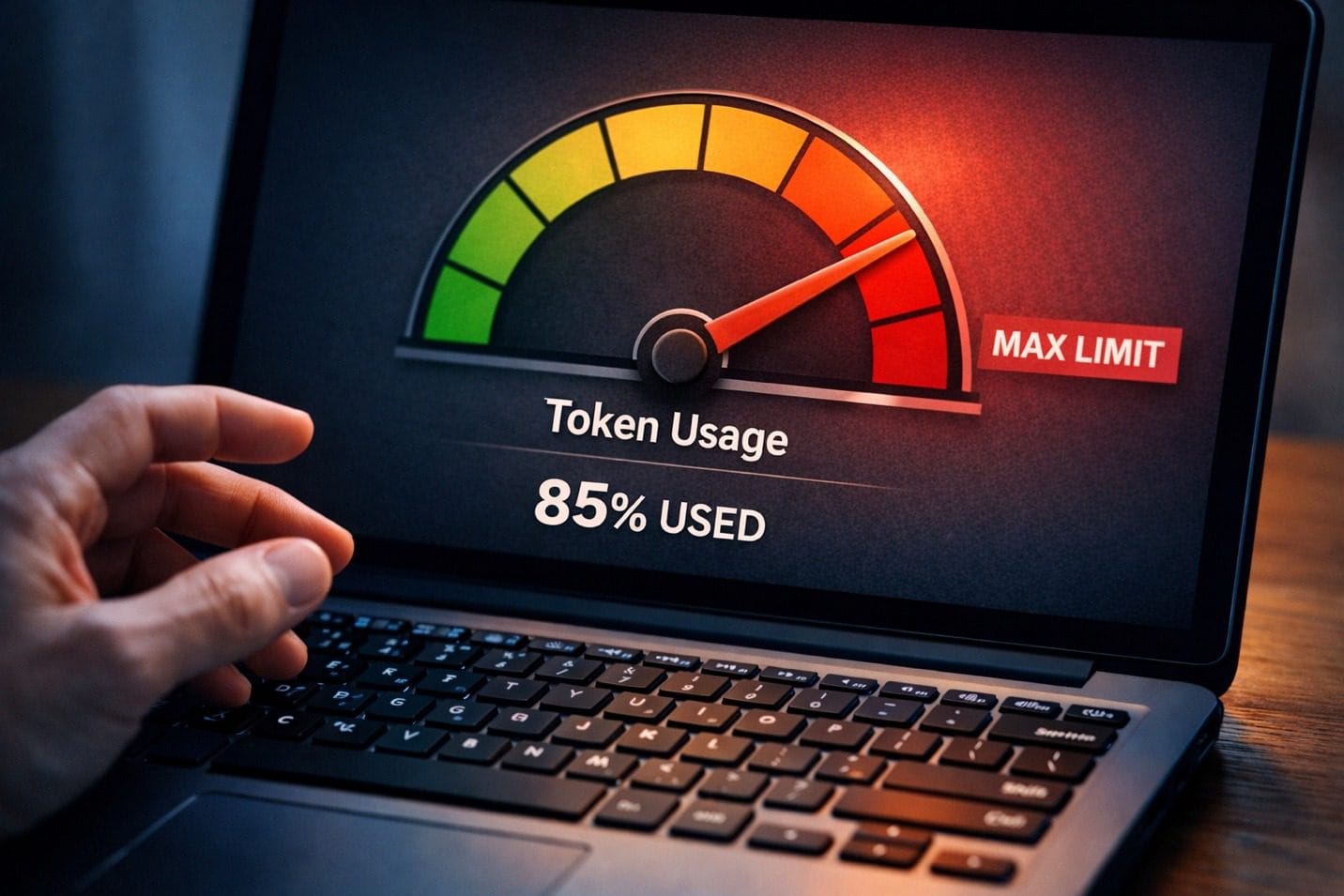
Caption: Understanding tokens is understanding your actual constraint, not the imaginary one.
What Exactly Is a Token, and Why Should You Care?
The word ‘token’ sounds technical, but it’s simpler than it seems. When you type a message to an AI, the system doesn’t read it the way you do — word by word. Instead, it breaks your text into small chunks, called tokens, that it can process efficiently. On average, one token equals roughly three-quarters of a word. So ‘optimization’ is about two tokens, while ‘the’ is one.
Every character you type uses tokens. Every word the AI writes back uses tokens. And here’s the part most people miss: every previous message in your conversation — the entire back-and-forth history sitting above your latest prompt — also uses tokens. The AI re-reads all of it every time you send a new message, and all of that re-reading costs tokens.
Tokens aren’t just what you type now. They’re everything the AI has to remember from your entire conversation history — and that history gets more expensive with every message.
The practical implication is that a conversation doesn’t cost tokens just when you send a message. It costs exponentially more as the conversation grows. A brief that started with 200 words can easily carry 3,000 words of accumulated context by message ten — context the AI silently processes whether you need it or not.
Different platforms use slightly different tokenization systems, but the rule of thumb works across all of them: roughly 1,000 tokens = 750 words. Keep that ratio in your head and you’ll never be surprised by your usage again.
The takeaway: tokens are the currency of AI interaction. Understanding them is the first step to spending them wisely.
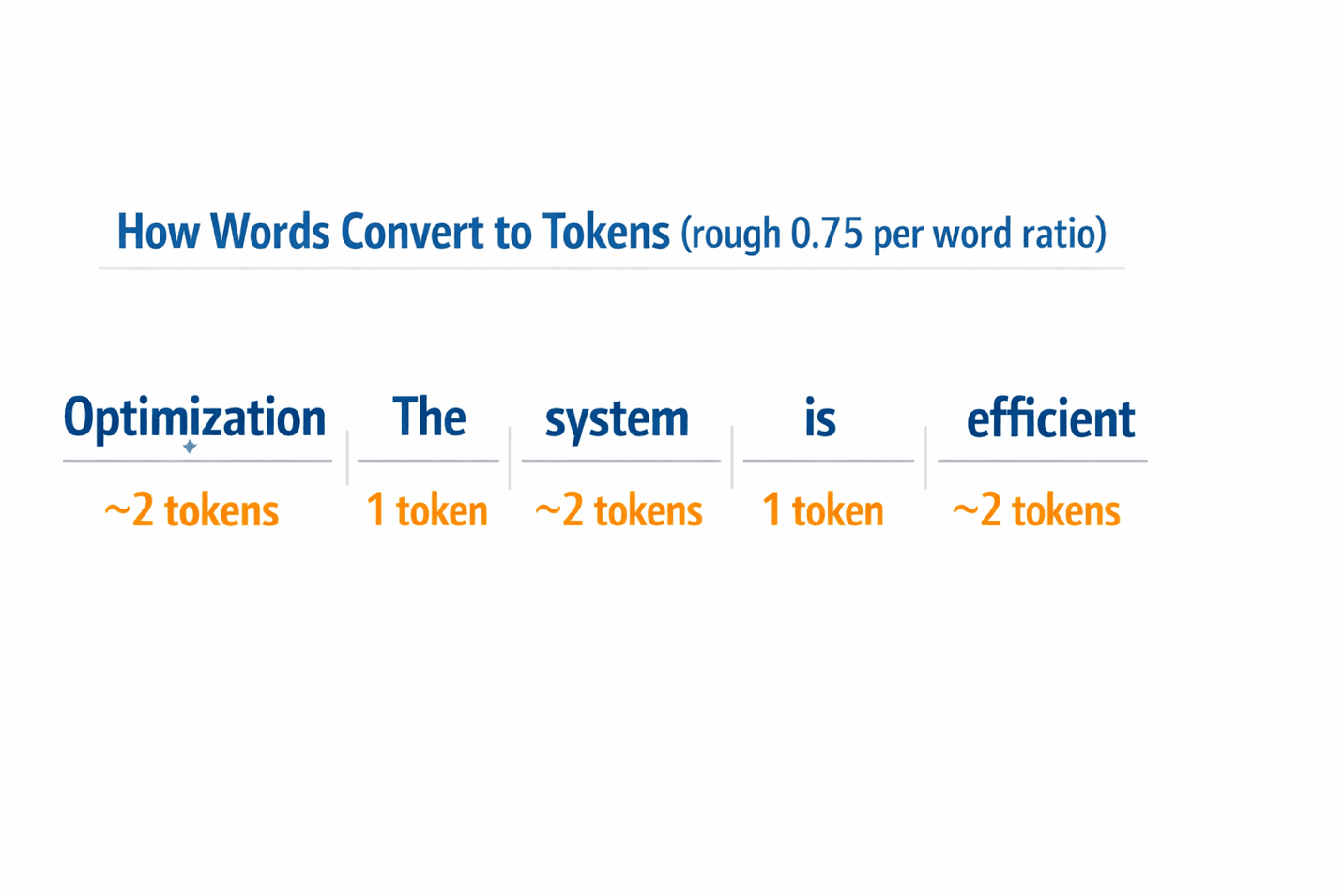 Caption: Visual guide: how words map to tokens (rough ratio: 0.75 tokens per word).
The Myth That’s Costing You Hours: Context Window vs. Usage Limit
Here’s the misconception that trips up almost every beginner: they see headlines about 200,000-token context windows or 1-million-token capabilities and think, ‘I can’t possibly run out.’ They’re right — but they’re thinking about the wrong limit.
Two completely different constraints exist simultaneously, and almost nobody explains the difference. The context window is the size of the AI’s working memory within a single conversation — it’s about capacity. Your usage limit is a separate, rate-based cap on how many tokens you’re allowed to consume across all conversations in a given time window — it’s about speed. Having a massive context window doesn’t exempt you from hitting your hourly cap.
The 200,000-token context window isn’t your problem. The rolling 5-hour usage cap you’ve never heard of — that’s the real enemy.
ChatGPT Plus and Claude Pro both use rolling time windows. You get a message allowance that resets based on a moving clock — typically around 5 hours. Gemini Advanced works on a daily reset. What this means in practice: if you fire off 15 long, detailed messages in a two-hour sprint, you can exhaust your limit for that entire 5-hour window, even though technically you never touched the context ceiling.
The platforms don’t advertise this prominently because it’s less impressive than talking about million-token capabilities. But for someone paying $20/month, the rolling window is the real constraint. The context window matters when you’re processing large documents or building very long conversations, but for everyday writing tasks, the hourly cap is what ends your session.
The takeaway: context window and usage limit solve different problems. Knowing which one you’re hitting tells you exactly how to fix it.
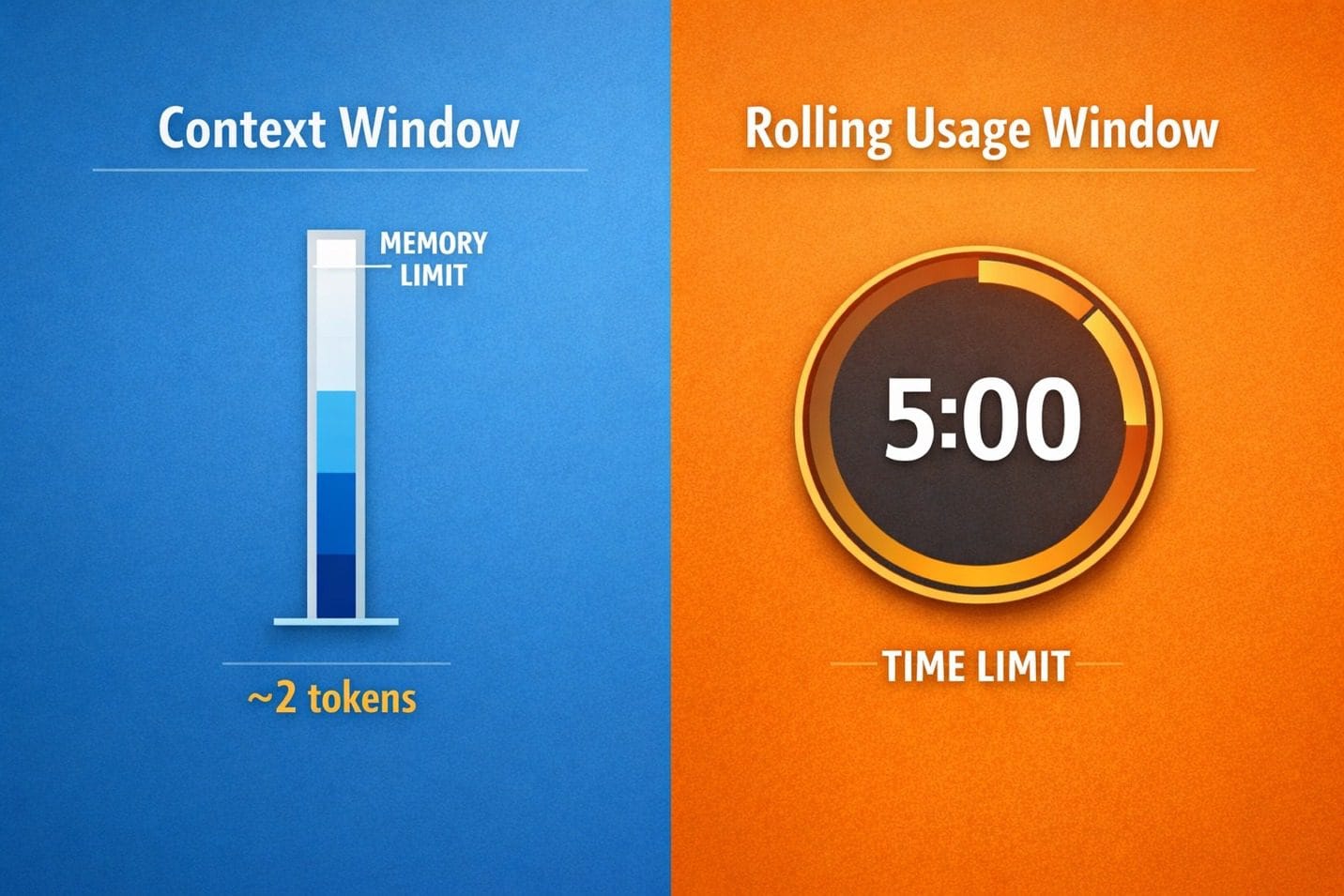
Caption: Two separate limits: context window is about capacity; rolling window is about rate.
Why You Actually Keep Running Out of AI Messages
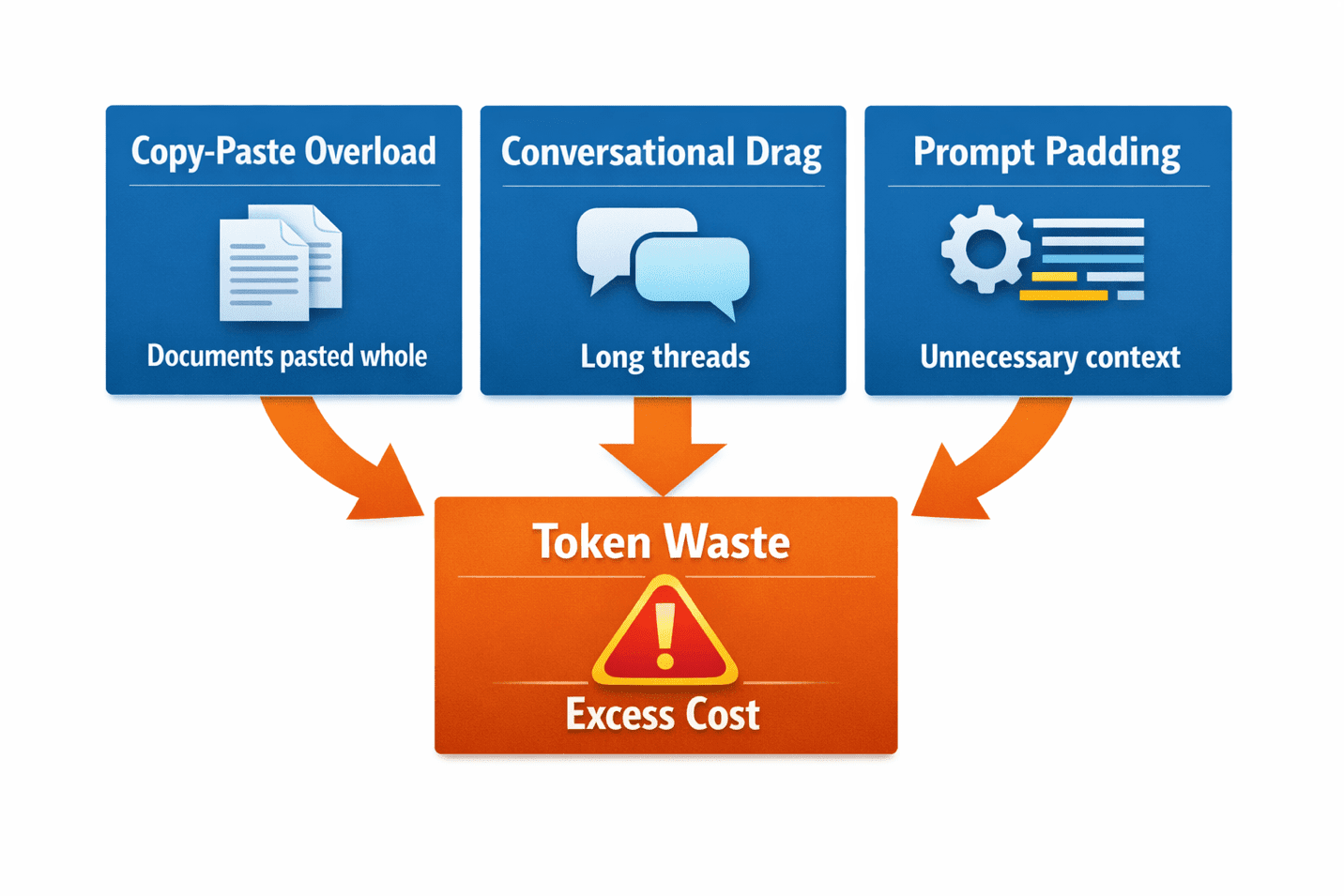
Most token drain comes from three predictable sources, and all three are entirely fixable. Understanding them is the second half of the solution.
Copy-Paste Overload
You need the AI to work with an article, a document, or a set of notes. What do you do? You paste the whole thing. Then you ask the AI to work with a small portion of it. Congratulations — you just paid tokens for content the AI didn’t need to process. If you’re asking for a summary of paragraphs 3–6, don’t paste paragraphs 1–10. This habit alone can cut your token usage by half on document-heavy tasks.
Conversational Drag
You start a conversation and keep going for hours, never starting fresh. By message fifteen, the AI is processing not just your current question but the entire conversation history. You’re spending 80% of your tokens on context that stopped being relevant ten messages ago. Starting a new conversation when you move to a new task is the single most effective habit you can build.
Prompt Padding
You open with pleasantries, context-setting, and background information the AI doesn’t need. ‘Hi Claude, I’m a content creator and I need your help with…’ costs tokens. The greeting is invisible to the AI. The backstory is unnecessary. It doesn’t need the introduction. It needs the instruction.
Every extra word in your prompt is a direct tax on your token budget. The bloat isn’t helpful — it’s costly.
The takeaway: you’re probably not hitting a hard ceiling. You’re spending your budget faster than you realize, on parts of your prompts doing no useful work.
Frequently Asked Questions
What counts as a token exactly?
Tokens are AI’s building blocks for processing text. One token ≈ 0.75 words on average. Tokenization varies slightly across platforms, but the ratio holds across ChatGPT, Claude, and Gemini. Punctuation, spaces, and special characters also consume tokens.
Is my context window the same as my message limit?
No. Context window = how much text fits in one conversation’s memory. Message limit = how many tokens you can spend per rolling time period. You can have a 200K context window and still hit a 5-hour usage cap. They’re independent constraints.
Why does the first message in a conversation use fewer tokens than later ones?
Early messages only include the new text you’re adding. Later messages include everything: your current input plus the entire conversation history above it. By message ten, you’re re-processing the entire thread. That’s why starting fresh conversations is so powerful.
If I have ChatGPT Plus with 128K tokens, why do I keep running out?
The 128K context window describes memory capacity within one conversation. Your actual usage limit is OpenAI’s rolling rate limit, which is separate and much tighter. It resets on a moving clock (typically 5 hours), not a daily clock.
Understanding Tokens Is the Foundation
Everything about managing your AI budget starts with understanding these two things: what tokens actually cost, and what limits actually matter. The context window is marketing. The rolling window is reality.
Most beginners don’t hit the context ceiling. They hit the rolling usage cap — and they don’t know it exists until they’ve already wasted weeks hitting the wall without understanding why.
Now that you understand the mechanics, you’re ready for the solution side: how to write prompts that cost fewer tokens, and how to structure your workflow so the tokens you spend go to the work that matters.

Caption: Understanding your constraints is the first step to breaking through them.
The next post shows you exactly how to fix bloated prompts, structure longer conversations, and extend your monthly budget without upgrading. The fix is simpler than you think.
Ready to Stop Wasting Tokens?
Now that you understand why you keep hitting the wall, head to the next post to learn the practical tactics that actually extend your budget. We’ll show you the single most effective fix: asking AI to optimize your own prompts.